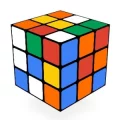
Rubik Cube 3D
Instructions
Rubik Cube 3D is a digital version of the classic 3D puzzle, originally featured as a Google Doodle to celebrate the Rubik’s Cube anniversary. The game lets you interact with a fully playable cube right in your browser, where every twist and turn feels close to handling a real physical cube. Its clean design and smooth controls make it easy to focus on solving the puzzle.
The goal is simple: mix up the cube and then try to return each side to a single color. You rotate rows, columns, and layers to rearrange the colored squares, gradually working toward the solved state. It starts off straightforward, but quickly becomes a real challenge that tests your memory and spatial thinking.
With intuitive controls and a built-in sense of progression, Rubik Cube 3D is both relaxing and mentally stimulating. Whether you’re new to cube puzzles or already experienced, it offers a satisfying way to practice logic and patience.
How to Play Rubik Cube 3D?
- Desktop: Mouse → Click and drag to rotate rows, columns, and the cube
- Mobile: Touch → Tap and swipe to rotate and twist the cube’s layers
Who created Rubik Cube 3D?
Rubik Cube 3D was created by Google Doodle.
How can I play Rubik Cube 3D for free?
You can play Rubik Cube 3D for free on Playdoob.
Can I play Rubik Cube 3D on mobile devices and desktop?
Yes, Rubik Cube 3D can be played on both mobile devices and desktop computers.